Every kind of note.

Writing, tables, diagrams, drawings, code and recordings, side by side in one library. Each one is a plain file you can open anywhere.

Download Texo
Kinds of items

Pick the right shape for the idea.

  1. Notes.md

    Formatted while you write, plain Markdown when saved.
    Read more

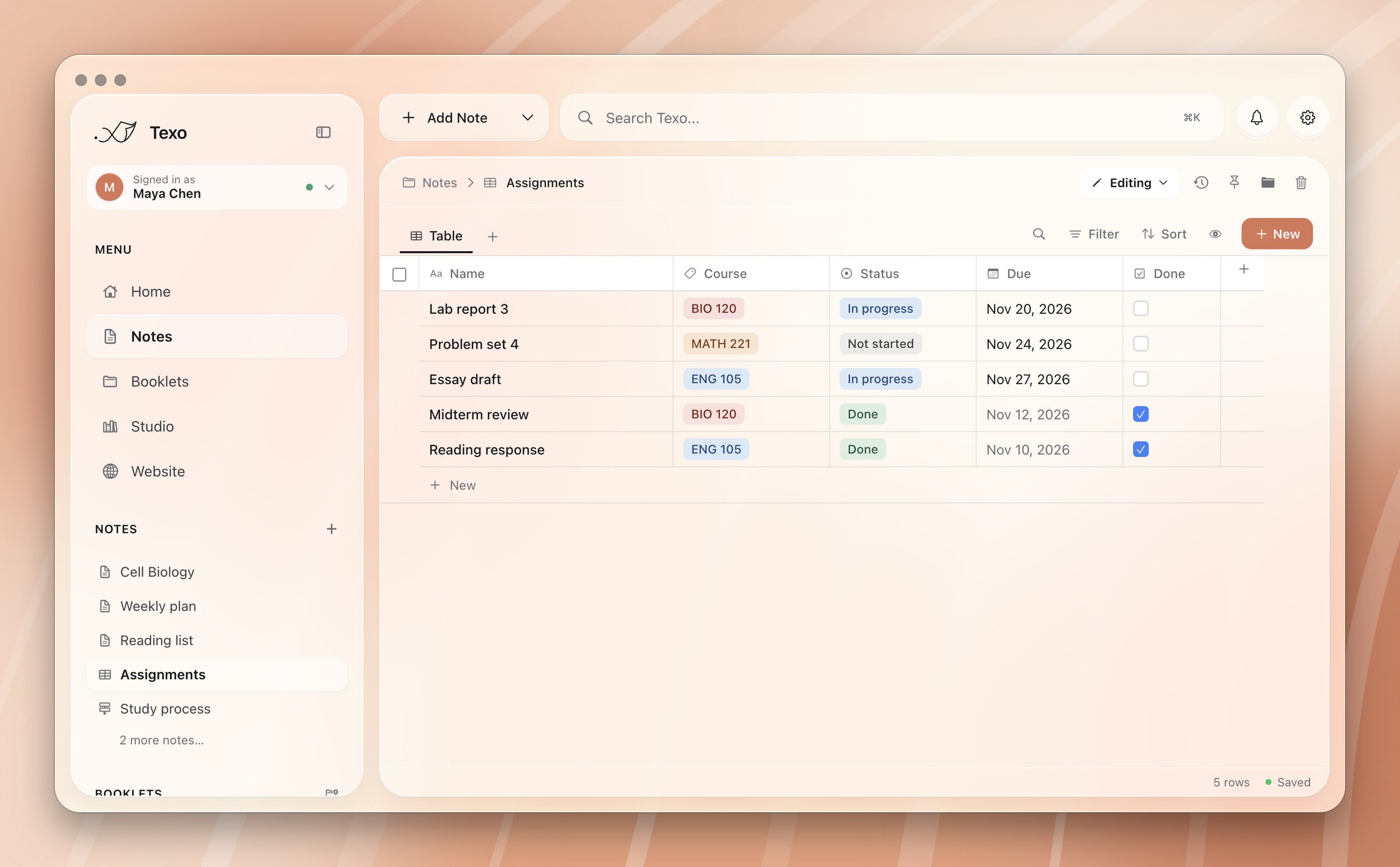
  2. Databases.csv

    Typed columns, with table, board, gallery, calendar and chart views.
    Read more

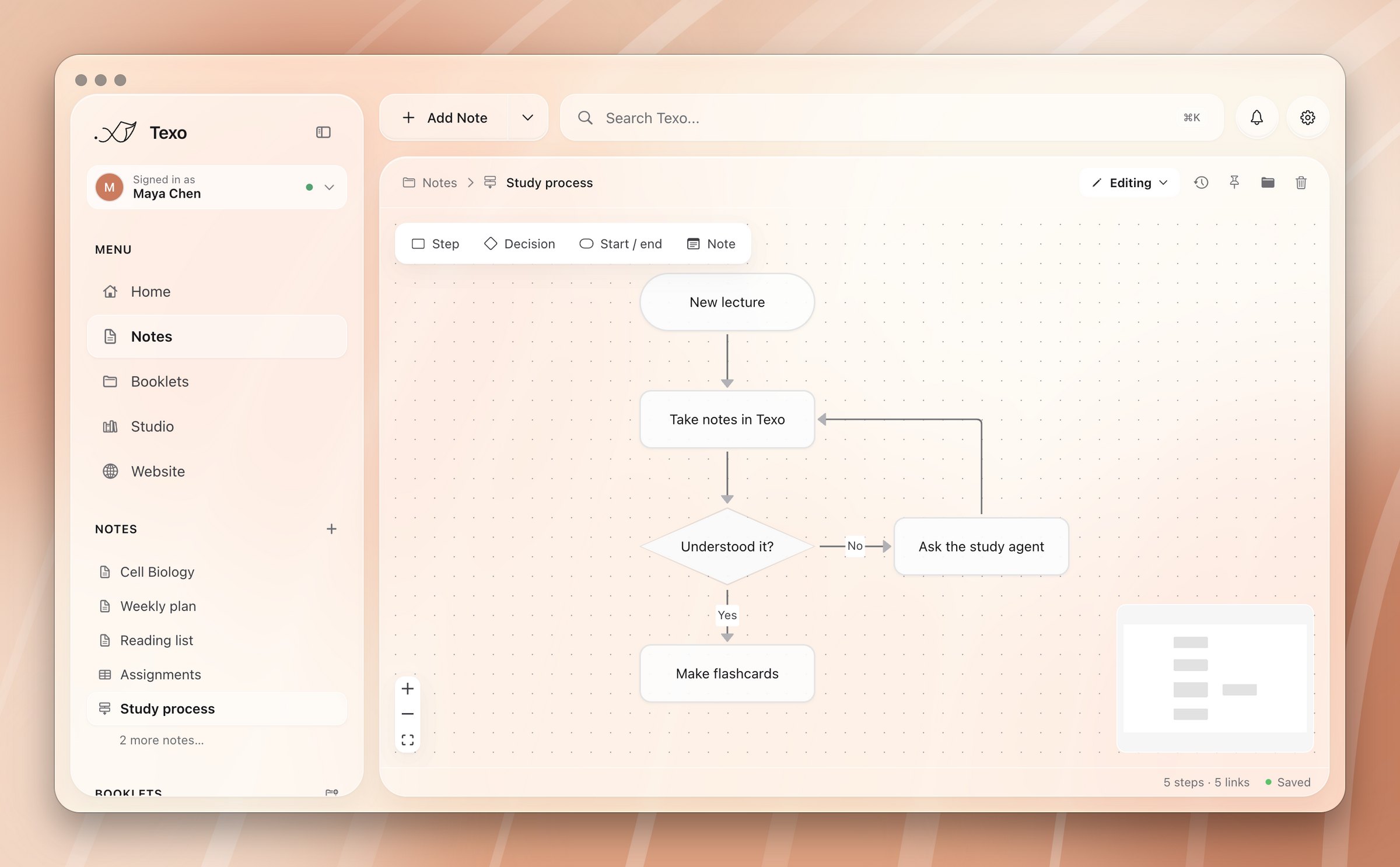
  3. Flow charts.canvas

    Double-click to add a step, drag to connect.
    Read more

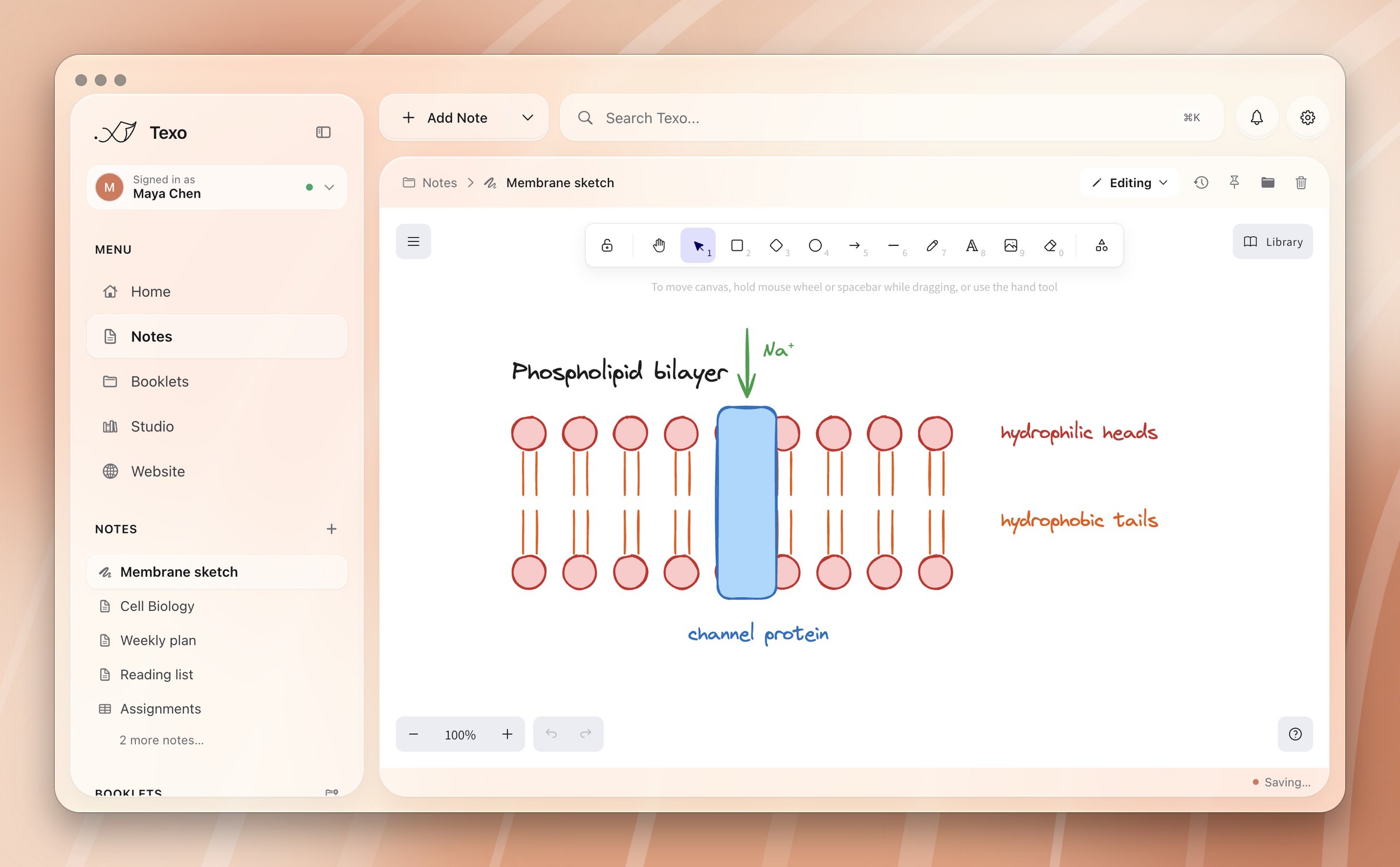
  4. Drawings.excalidraw

    A freehand whiteboard for sketches and labelled diagrams.
    Read more

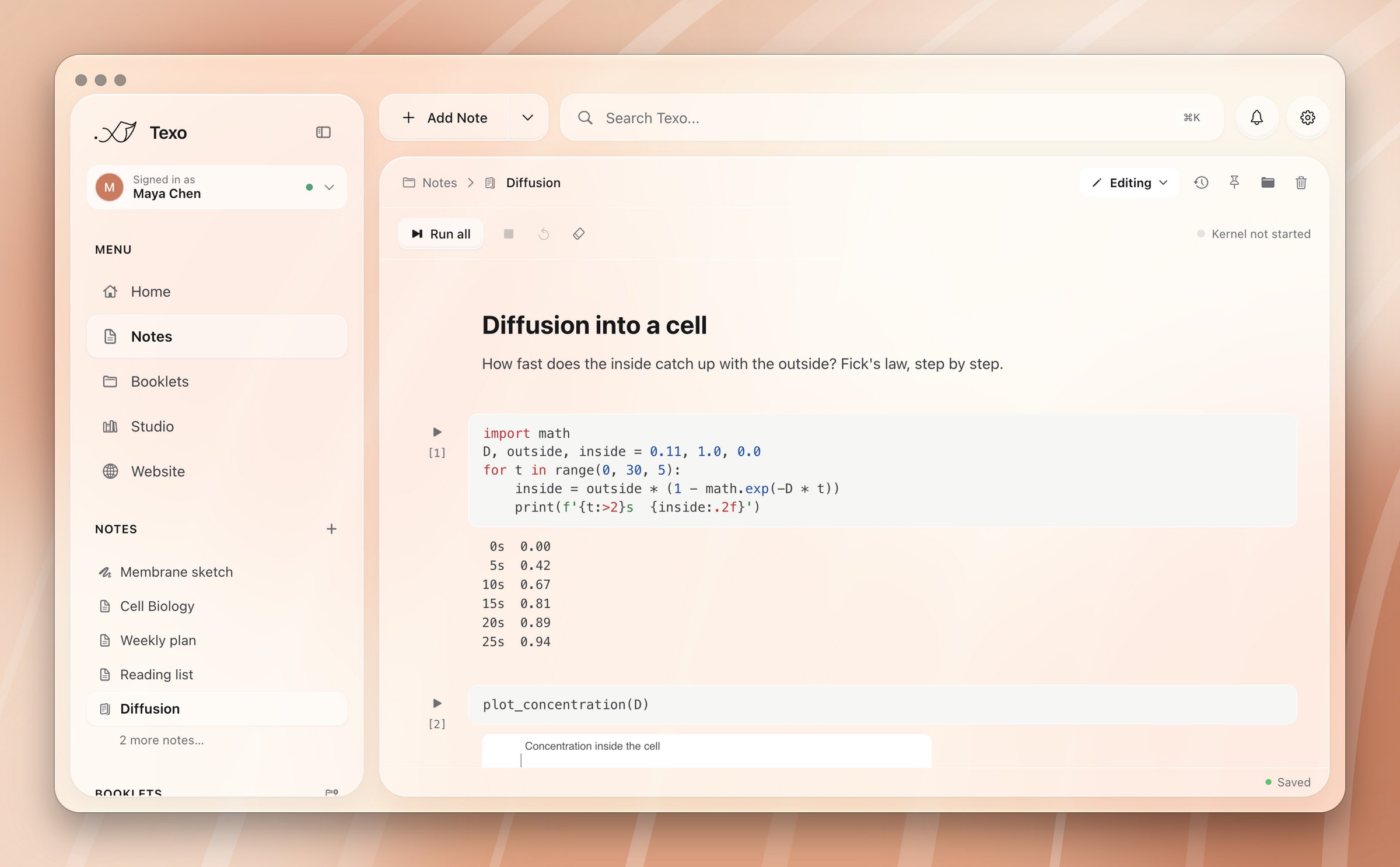
  5. Notebooks.ipynb

    Python cells run by a local kernel, outputs and charts inline.
    Read more

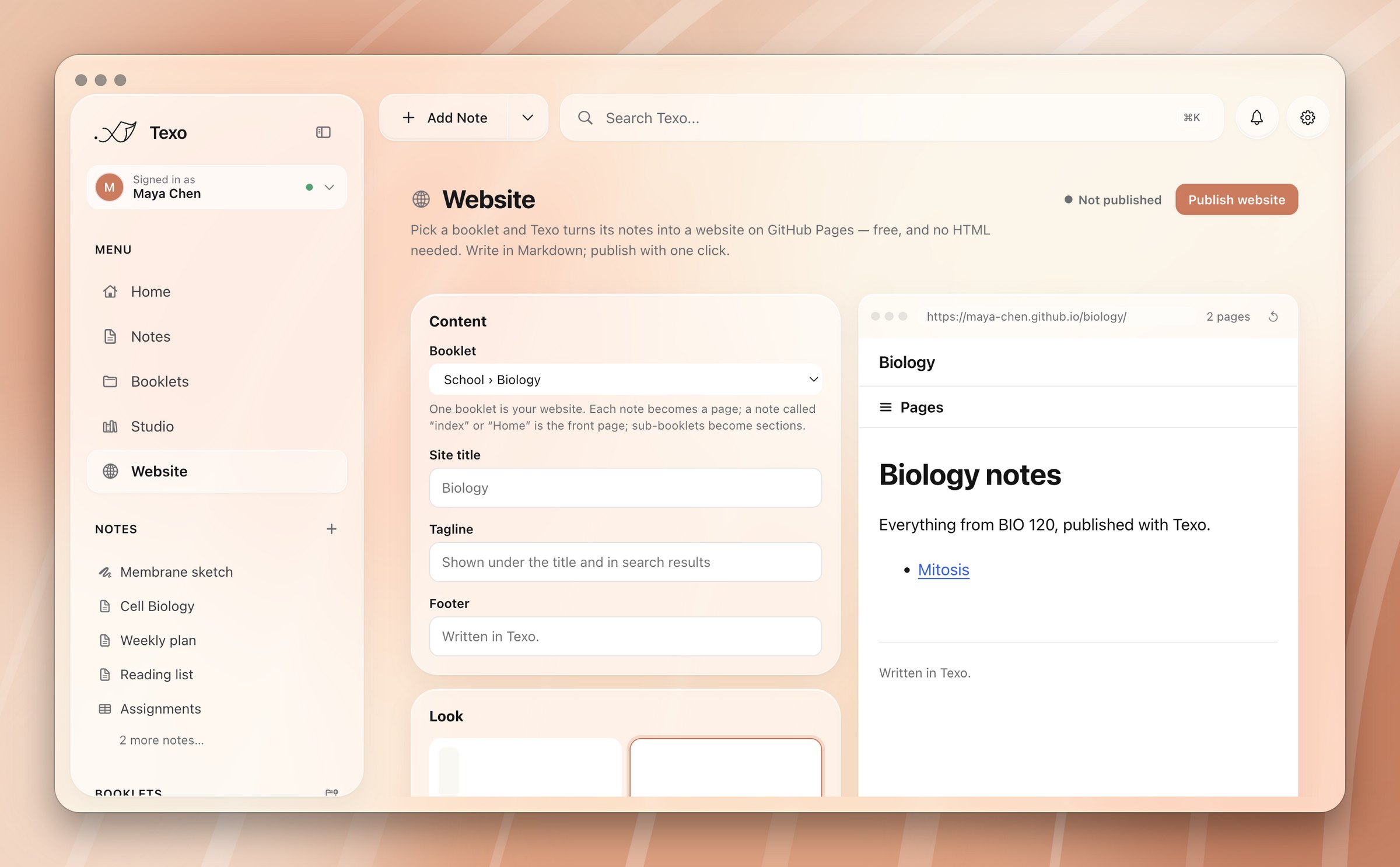
A note with a highlight, a callout and a table
An assignments database
A flow chart of a study process
A drawing of a phospholipid bilayer
A Python notebook modelling diffusion

Also: shell notes (.shell.md), Markdown on one side and a live terminal running your login shell on the other.

Writing

Everything a note can hold.

Hover over any of them to see the Markdown behind it.

Callouts

Tip, note, warning, danger, success, question and quote.

Exam hintLabel the heads, tails and a channel protein.
> [!tip] Exam hint
> Label the heads, tails and a channel protein.

Math

Inline or on its own line. Click an equation to edit it.

J = −D dCdx
$$J = -D \frac{dC}{dx}$$

Checklists

Every open to-do also shows on Home.

Re-read chapter 7
Watch the transport lecture
- [ ] Re-read chapter 7
- [x] Watch the transport lecture

Slash commands

Blocks, templates and agents at the cursor.

/call

Links between notes

Click one to open the other note.

See also Mitosis for the next lecture.

See also [Mitosis](Mitosis.md) for the next lecture.

Highlights

Mark the line that matters.

The membrane is a phospholipid bilayer.

The membrane is a ==phospholipid bilayer==.

Templates

Lecture, meeting, daily and project notes, or your own.

Lecture 5
Thursday, Nov 19, 2026

# {{title}}
{{weekday}}, {{date}}

Folding

Collapse a section. Only the view changes.

›Transport · 3 lines folded

## Transport
| Kind | Needs energy? |
| Diffusion | No |

Focus mode

Everything but the page disappears.
⇧ ⌘ F
Read more
Import

Bring the files you already have.

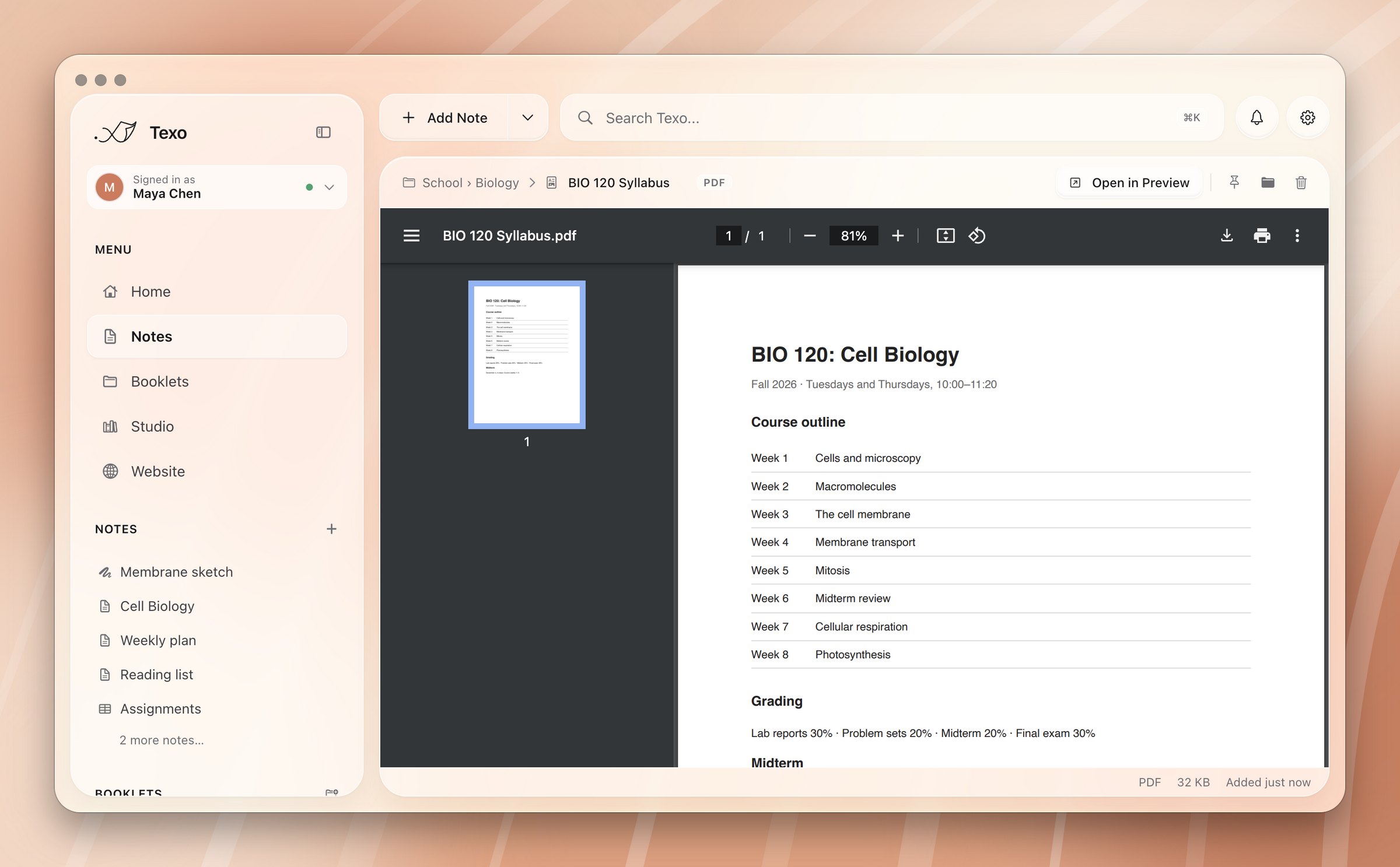
Drop documents anywhere on the window and pick a booklet. They open inside Texo with the previewers built into macOS, so nothing extra needs installing.

PDFWord and PagesKeynote and PowerPointSpreadsheetsImagesAudio and video

A Word document can become an editable note. A spreadsheet can become a database.

Read more
A course syllabus PDF previewed inside Texo
Recording

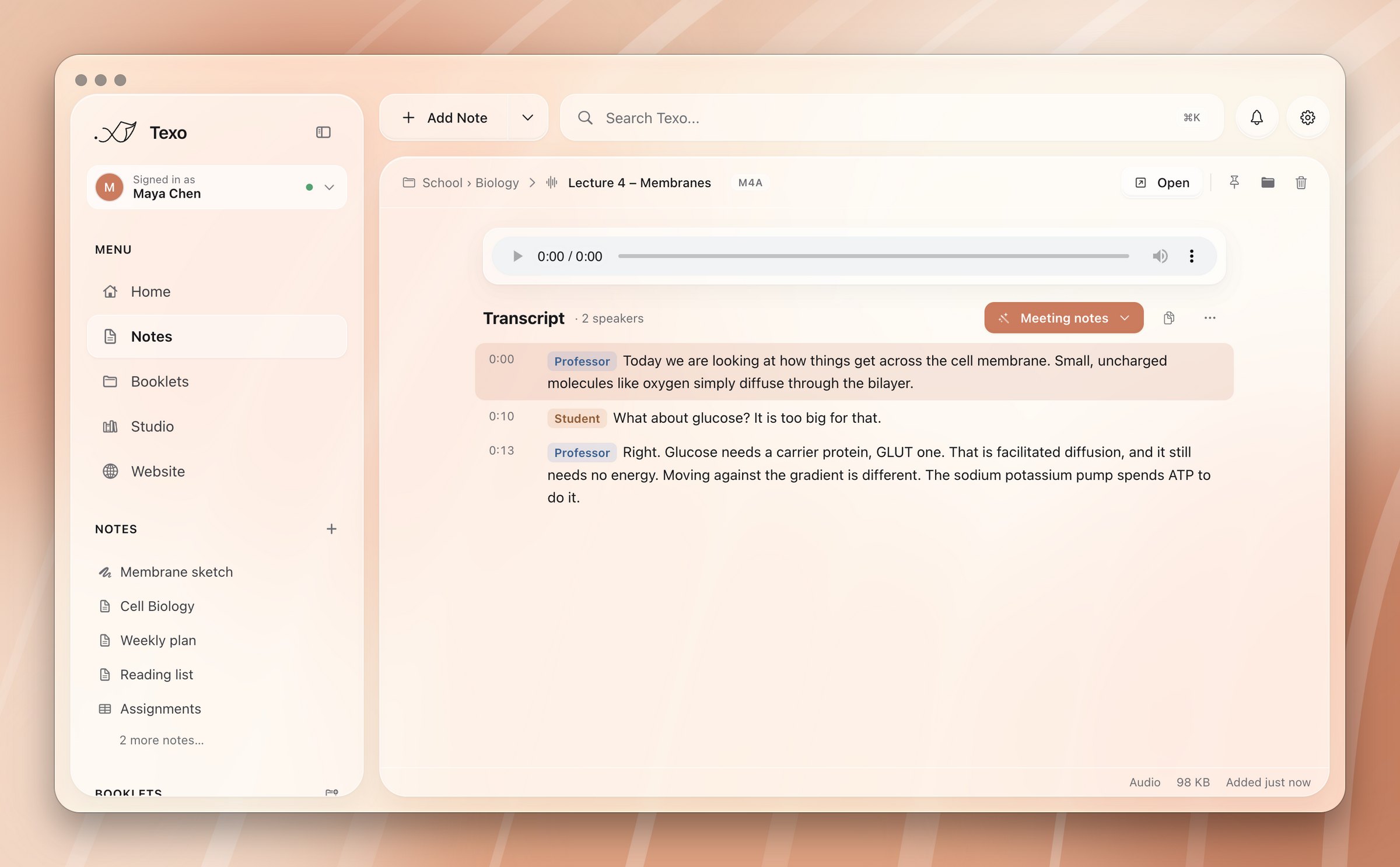
Record the lecture. Read it later.

  1. Record from the Add Note menu, or straight into a booklet.
  2. Transcribe with Groq Whisper, OpenAI Whisper or Gemini. Gemini labels who is speaking.
  3. Click any line to jump to that moment in the audio.

The transcript is stored beside the recording, so search and agents can read it too.

Read more
A recorded lecture with a transcript labelled by speaker
Agents

Turn a recording into notes.

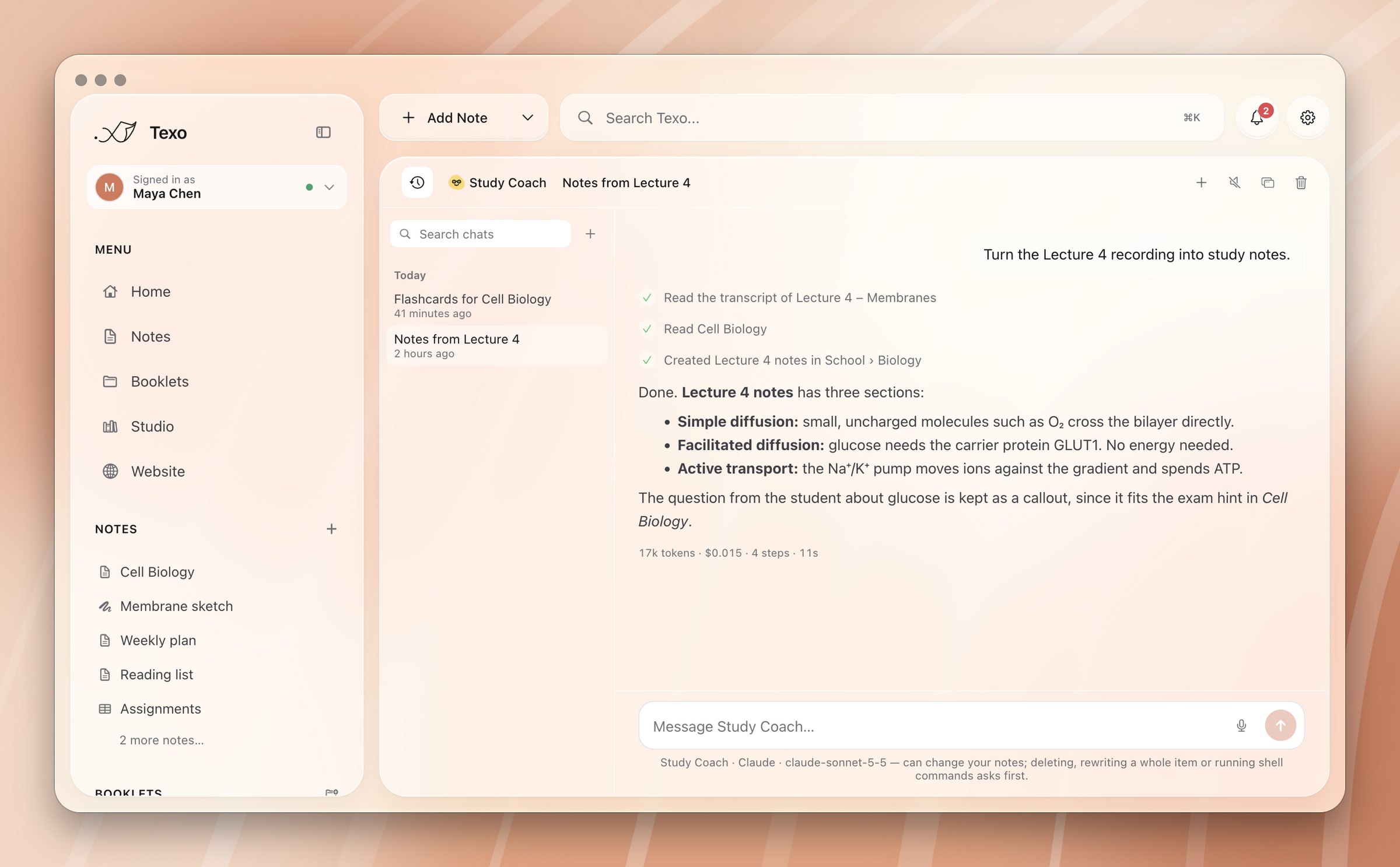
Ask an agent to summarise a lecture. It reads the transcript, checks your related notes, and writes a new note in the right booklet.

It works for anything: PDFs page by page, slides, meeting notes. With ⌘J, an agent can summarise the note you're looking at without leaving it.

Explore agents
Study Coach reading a lecture transcript and writing notes
Booklets

One booklet per class.

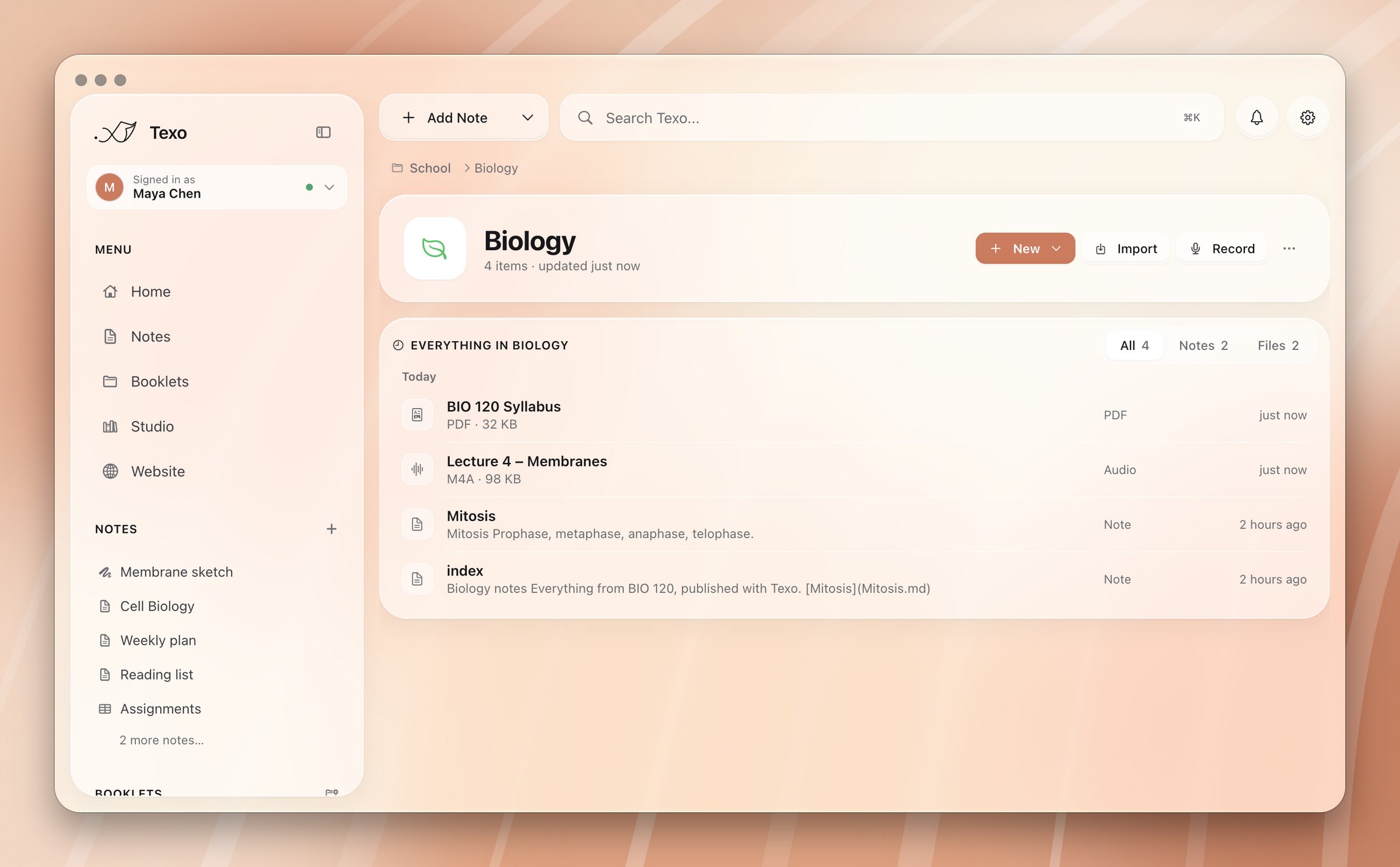
A booklet is a folder with an icon and a colour. Nest them as deep as you need: School › Biology.

  1. Everything in one list: notes, PDFs and recordings, filtered by kind.
  2. New, Import and Record put items straight into the booklet.
  3. Right-click to change the icon and colour, rename or move it.
Read more
The Biology booklet with a syllabus PDF, a recorded lecture and notes
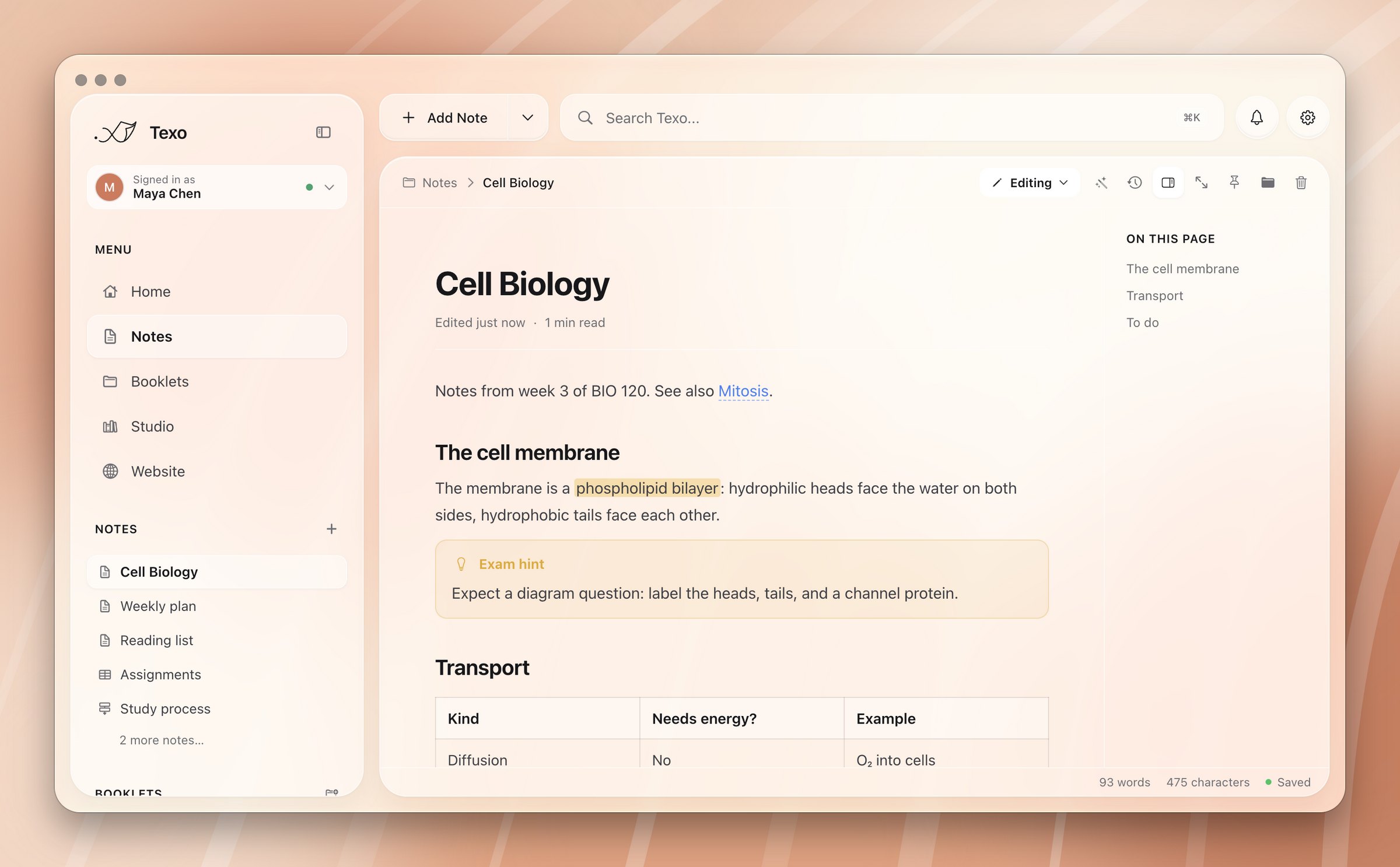
Websites

Publish a booklet from the app.

  1. Open Website in the sidebar and choose a booklet.
  2. Pick a theme: Paper, Minimal, Docs or Midnight, or bring your own CSS.
  3. Check the live preview, then click Publish website.

It goes live on GitHub Pages at you.github.io/site, or on your own domain. Republish with one click, or after every sync.

More on GitHub
The Website page with a live preview of the Biology booklet

Start with one note.

Download Texo